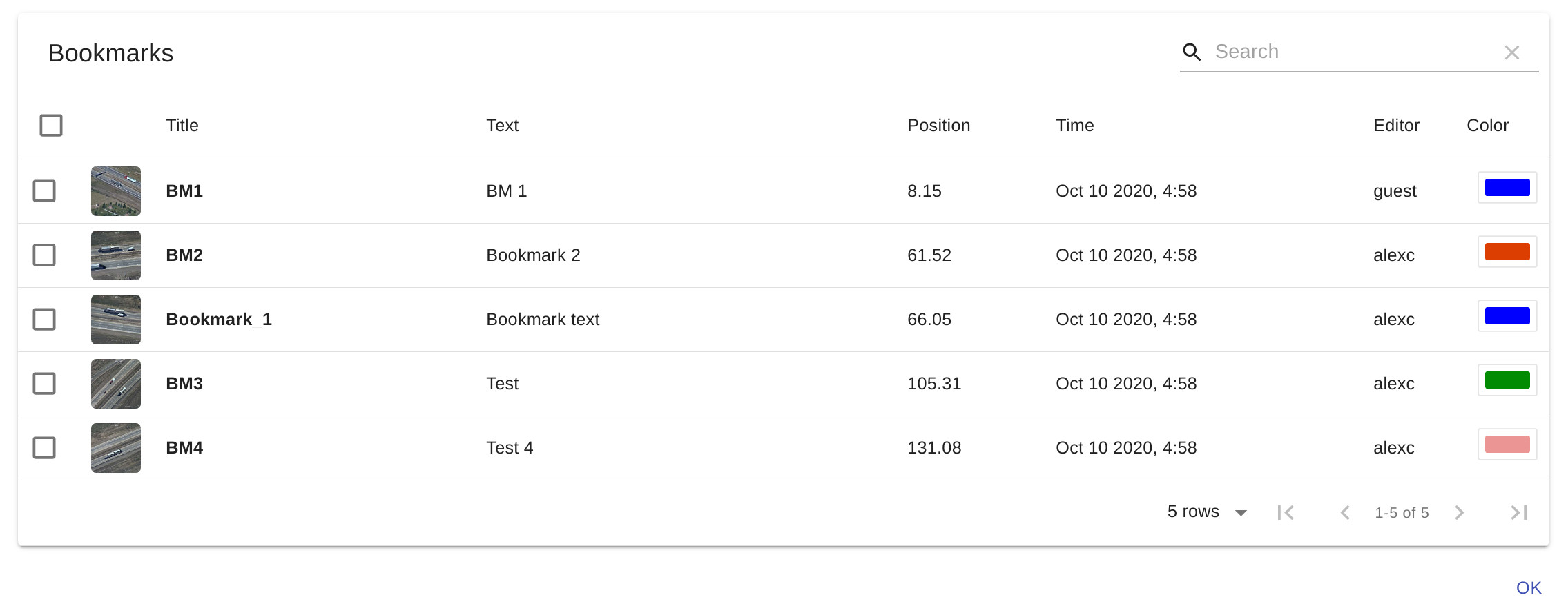
Bookmarks
Bookmarks save a video position with descriptive information so you can return to it later. Each sensor has its own bookmarks.
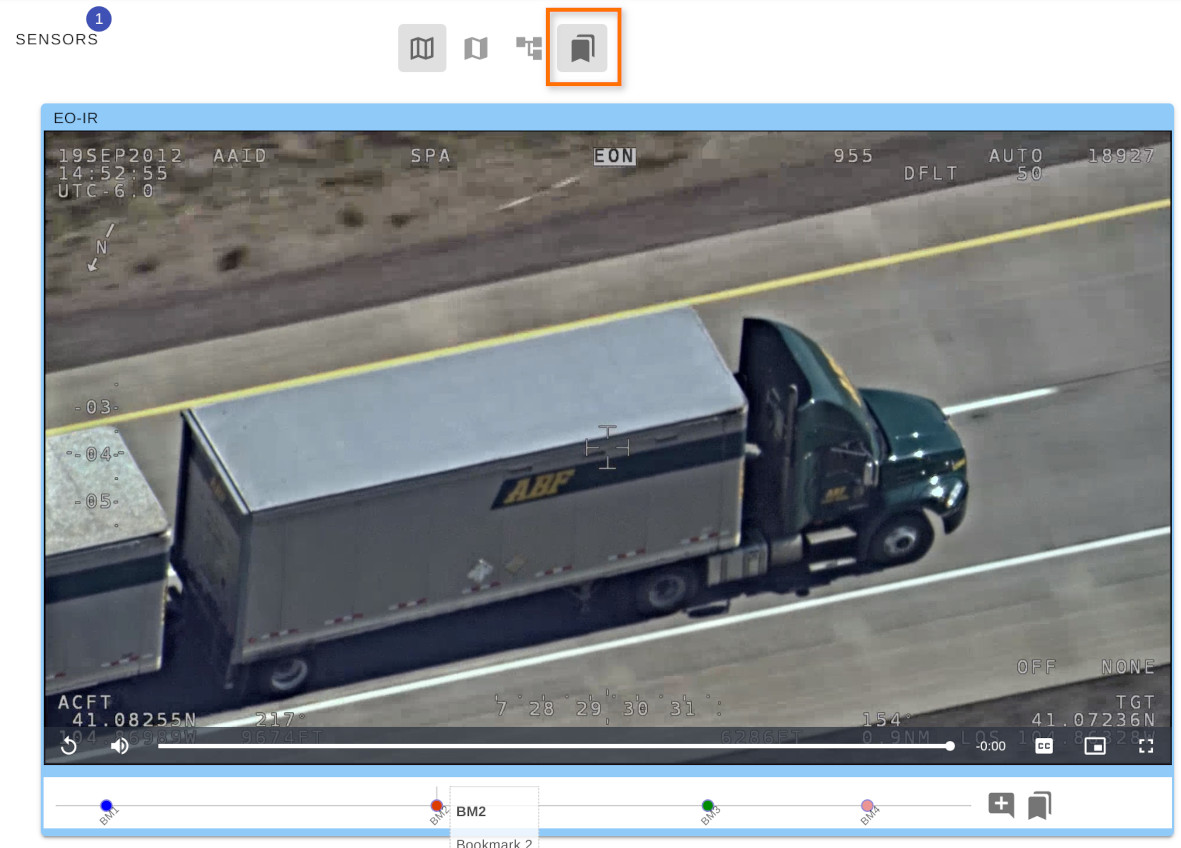
Enable Bookmarks in the playback toolbar. Click an existing bookmark to seek to its saved position.
Creating a bookmark
- Seek to the position you want to save.
- Click Add bookmark.
- Enter the bookmark information and click Ok.
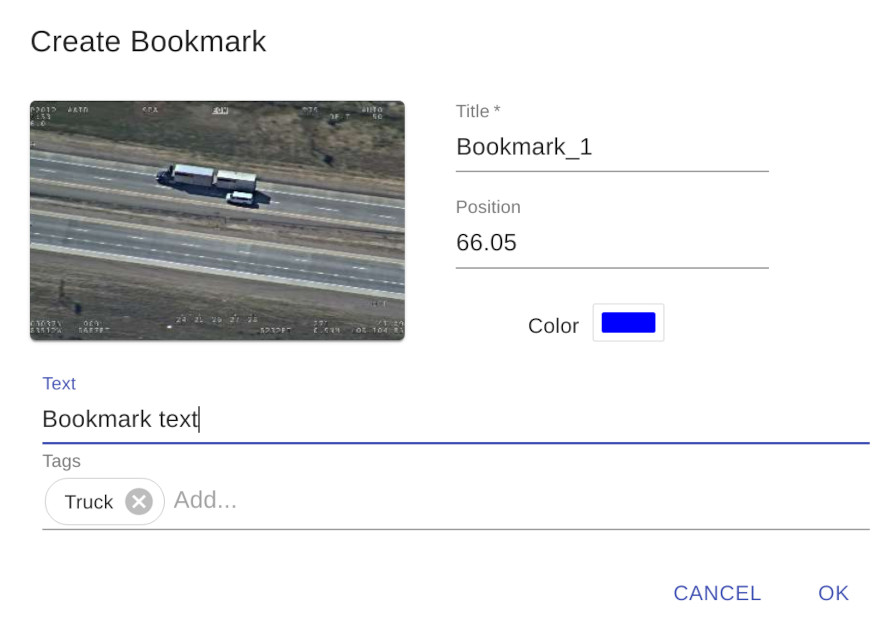
The new bookmark appears on the timeline.
Deleting bookmarks
Open Edit bookmarks, select the bookmark, and use the delete control.