🔍 Stream Analyzer
StPlayer includes an optional Stream Analyzer tool, useful for video/KLV analysis and interoperability testing.
It helps to quickly identify impairments and artifacts in streams.

📈 Video DTS Interval
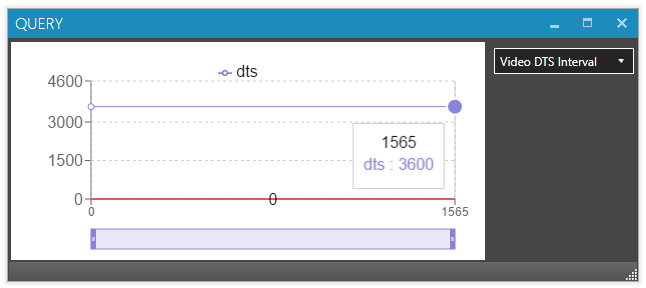
The Video DTS Interval chart shows the time difference between DTS (Decoding Time Stamp) values of successive video packets.
In a perfect stream running at 25 fps, you’ll see DTS deltas of 3600 units (i.e., 40 ms):
If there’s a problem with DTS timestamps, the discrepancies are immediately visible:
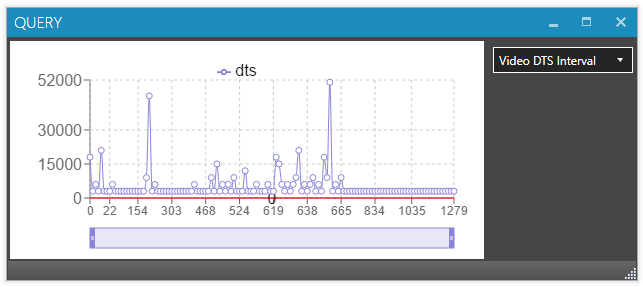
❗ A negative DTS value (non-monotonous DTS) indicates a serious issue, unless a discontinuity flag is set just before the packet or the video is intentionally looped. DTS values must be continuous.
🎞️ Video PTS Interval
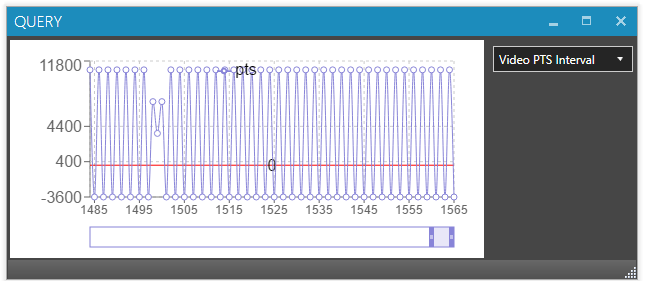
The Video PTS Interval chart displays the time differences between successive PTS (Presentation Time Stamp) values.
This chart is similar to the DTS chart. However, negative values are expected if the stream contains B-frames (due to frame reordering):
🗃️ Data PTS Interval
The Data PTS Interval chart shows the time difference between successive KLV/data packets from the same PID.
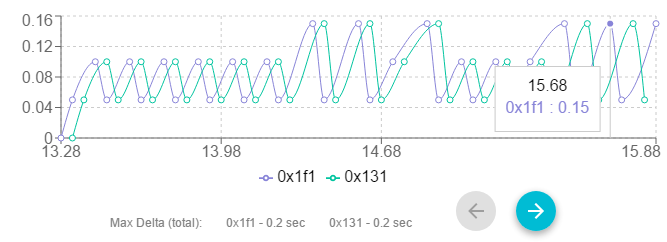
⚠️ If you’re using ASYNC KLV or private data without PTS, this chart will not show any results.
🥧 Stream Pie
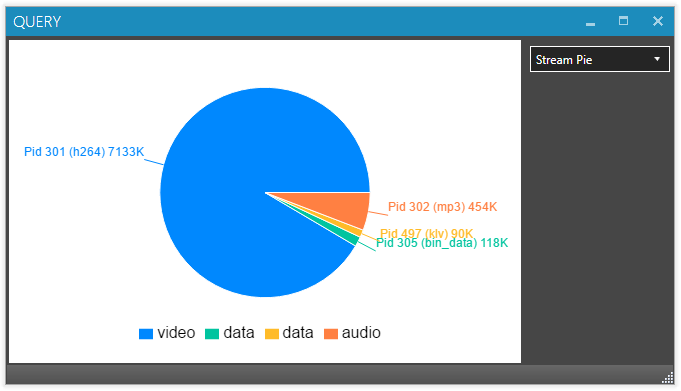
The Stream Pie chart visualizes the distribution of elementary streams in the MPEG-TS stream.
📊 Stream Bitrate
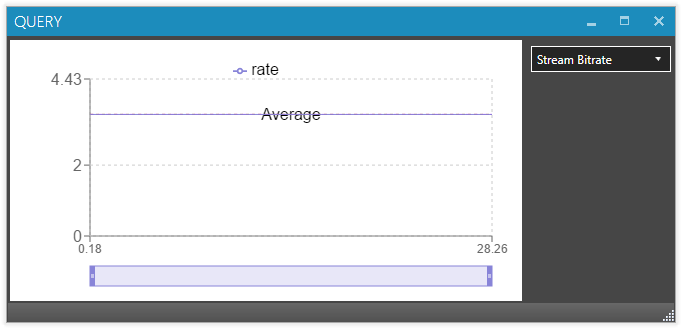
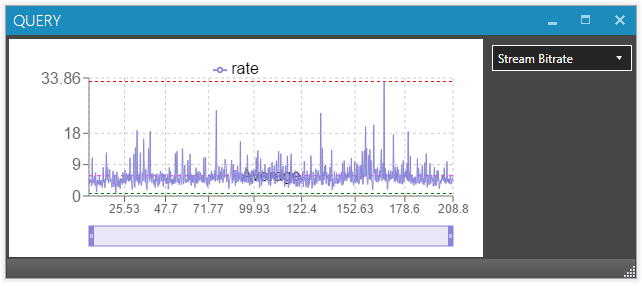
The Stream Bitrate chart calculates and visualizes the bitrate using PCR timestamps (Program Clock Reference).
Constant Bitrate (CBR) Example:
Variable Bitrate (VBR) Example:
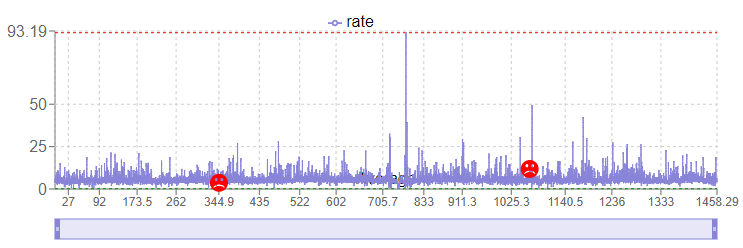
If PCR discontinuities occur in the stream, they will appear as follows:
🧩 Video, Private Data & KLV Packets
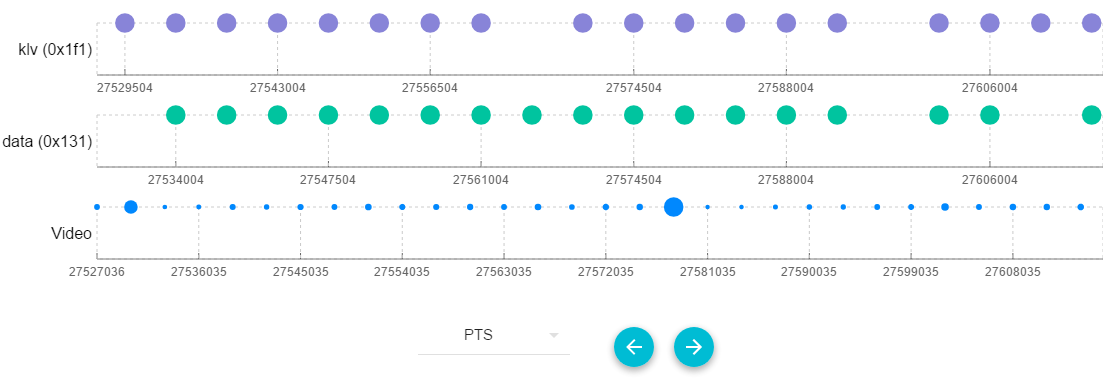
This section shows how video, private data, and KLV packets are multiplexed in a STANAG stream.
📦 Packet Position View
This view helps evaluate how data packets are inserted in the stream relative to video frames by examining their byte offset.
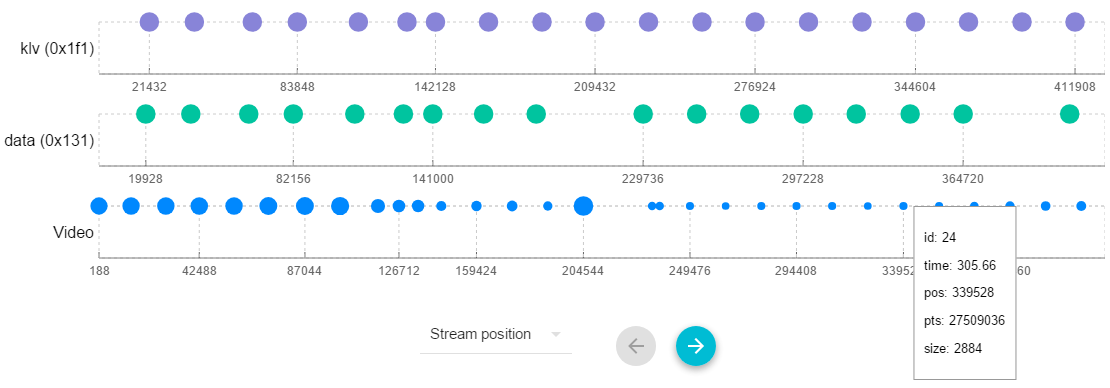
Each packet’s tooltip displays:
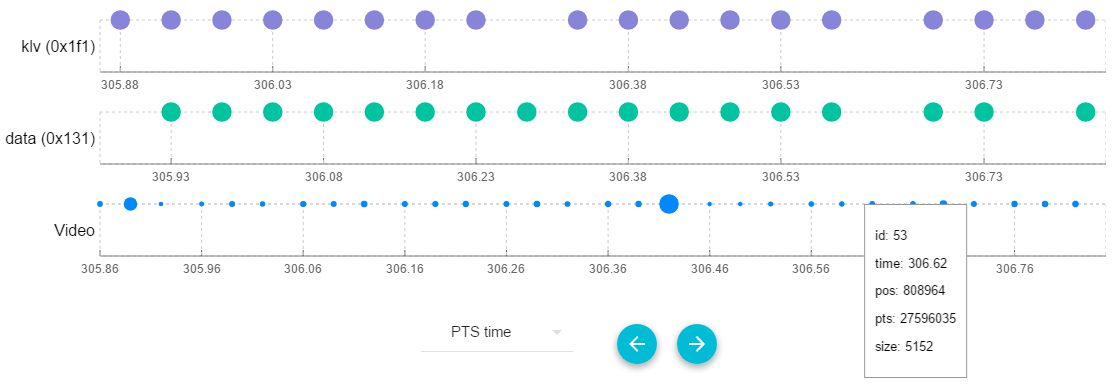
id: Packet numberpos: Packet offset in bytestime: Packet time from PTSdelta: Time difference (in seconds) from the previous packetpts: Raw PTS valuesize: Packet size in bytes
⏱️ Packet Timing View
This view shows packets arranged according to their presentation time:
🔢 Raw PTS Value View
Alternatively, you can view packet positioning based on raw PTS values: