License Activation
StPlayer is node-locked software, which means a license must be obtained (after purchasing the software) to unlock full functionality.
⚠️ No license is required for application evaluation - it will run in demo mode with some feature restrictions.
To request a license:
- Install the application on the target machine.
- Open the Options → License menu to locate the Node Info string.
- Fill out the online license request form and provide the Node Info string (this is essential for generating a valid license).
⚠️ Important: The license is tied to the specific machine. Make sure you collect the Node Info from the machine you intend to run the software on.
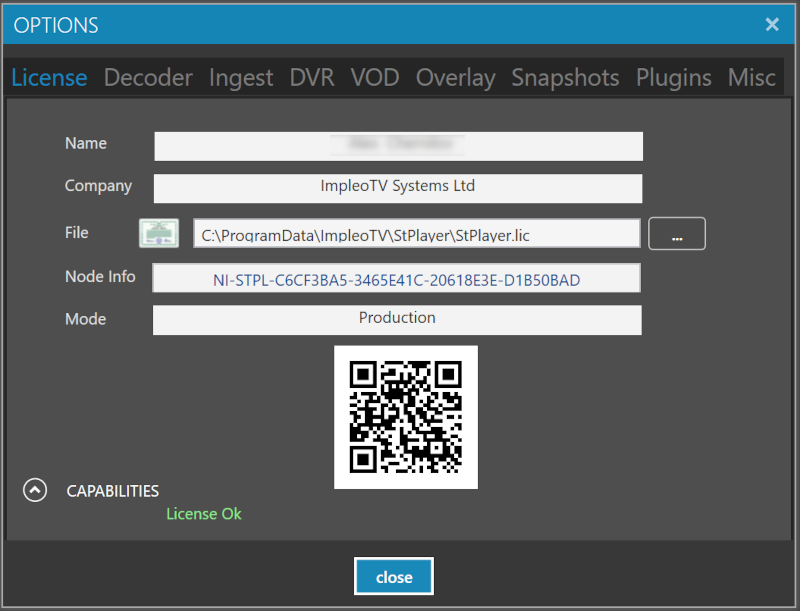
Copy and paste the Node Info string into the online form, or email it to support@impleotv.com.
If your computer is offline or you're unable to copy the Node Info text, take a photo of the license page with the QR code clearly visible, and send it to us instead.
You will receive a license file (or a license file and a key, for legacy versions).
To complete activation:
- Open the Options → License page.
- Select and upload the license file.
- If a key was provided, enter it in the designated field.