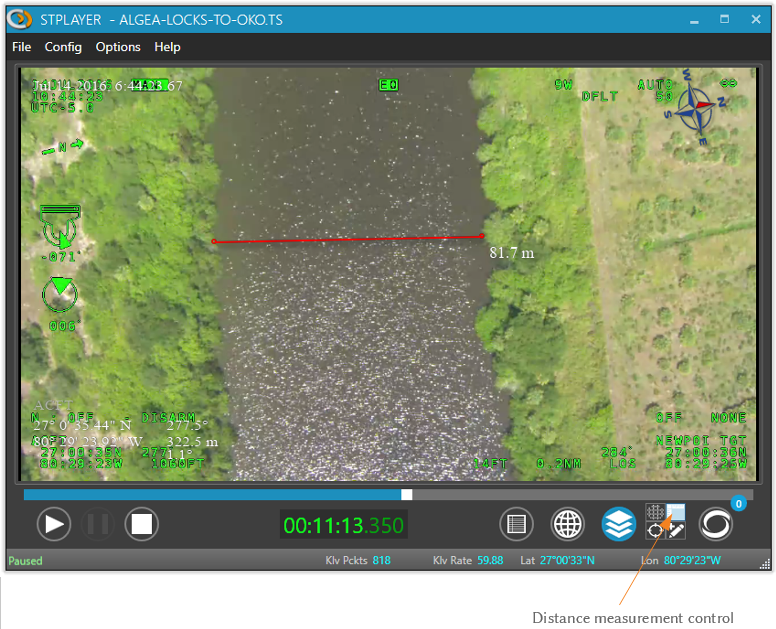
📏 On-Screen Distance Measurement
The Ruler tool allows you to interactively measure distances between any two points displayed on the video screen.
This feature is especially useful for analyzing footage from aerial platforms, estimating ground distances, or validating geospatial overlays.
To use the ruler:
- Click the Ruler button in the toolbar.
- Click once to mark the start point.
- Click again to mark the end point.
- The calculated distance will be displayed directly on the video overlay.
Note: The accuracy of the measurement depends on the georeferencing data available in the metadata.