🗺️ Map View
The Map View significantly enhances situational awareness by presenting:
- 🛩️ Platform position
- 🎯 Target and Frame center
- 🟩 Footprint
- 📝 GeoJSON Annotations
- 📍 VMTI targets
- 🔷 MIL-STD-2525 Tactical Symbols (if loaded)
To open the Map Window, press the Map button.
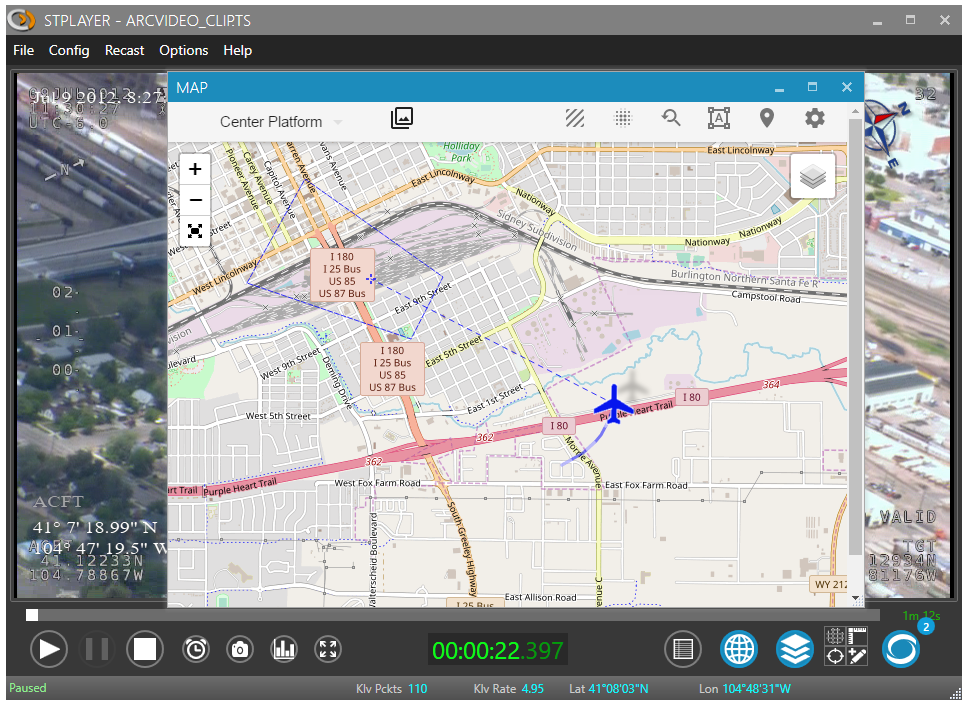
ℹ️ You must be connected to the internet (or configure offline maps) to use the base maps from the Map Layer list.
📏 Filmed Area
After ingest is completed, StPlayer automatically calculates the entire filmed area and presents it on the map.
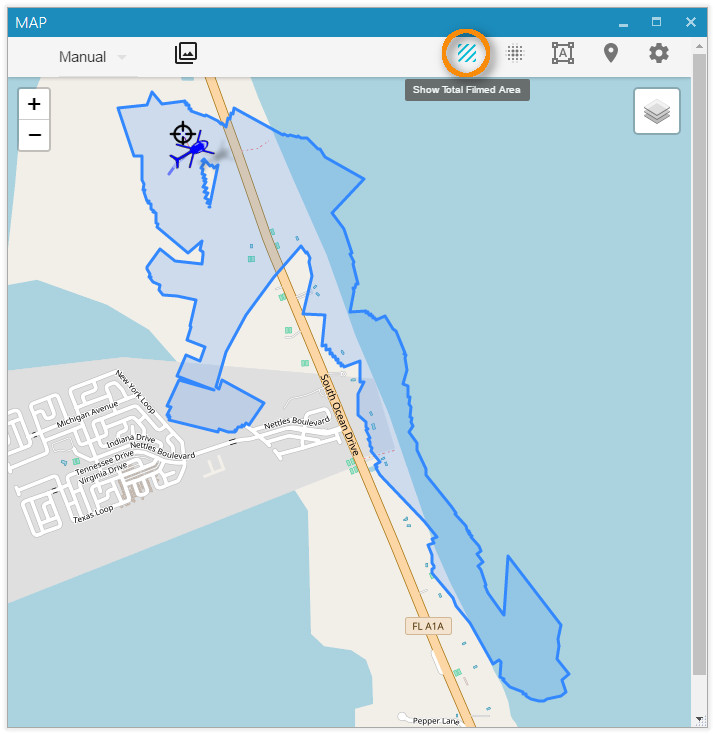
ℹ️ Area calculation requires relevant metadata (Corner points - Tags 26–33 or Full Coordinates - Tags 82–89).
🔥 Heat Map
In addition to the filmed area, StPlayer can highlight areas of increased camera focus using a heatmap.
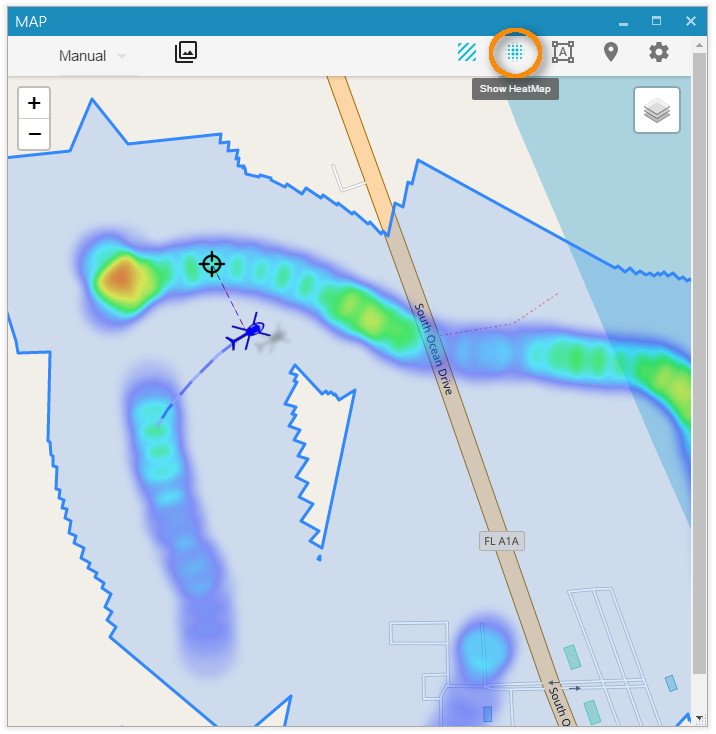
ℹ️ Requires metadata with Frame Center info (Tags 23–24).
🎬 Video Coverage
The Video Coverage Query helps locate specific video segments by selecting an area on the map.
For instance, if the footage follows a river to the ocean and returns, you can define an Area of Interest, and a chart will show the relevant portion of the clip.
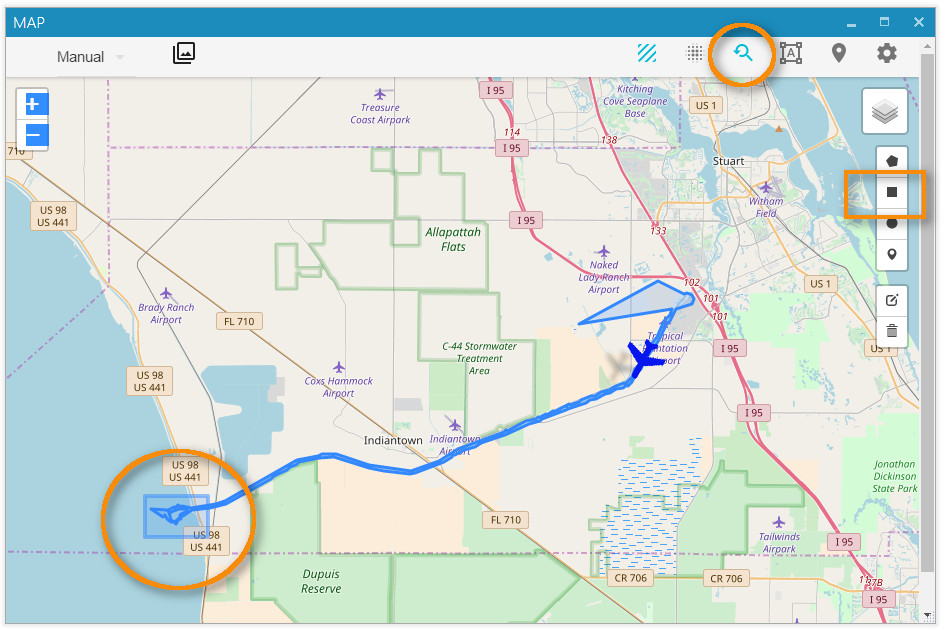
The resulting chart indicates when in the clip the area is visible:
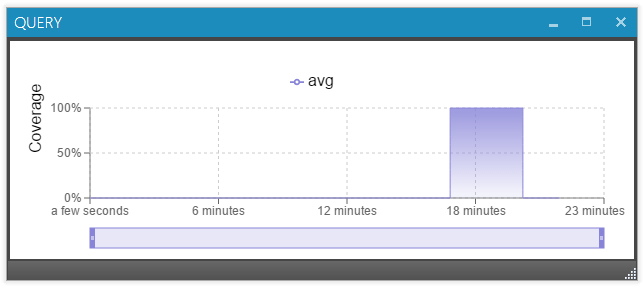
Click the chart to jump directly to that part of the video.
🛡️ MIL-STD-2525 / STANAG 2019 APP6 Symbology
StPlayer supports MIL-STD-2525 tactical symbols overlay via GeoJSON with additional properties like SIDC.
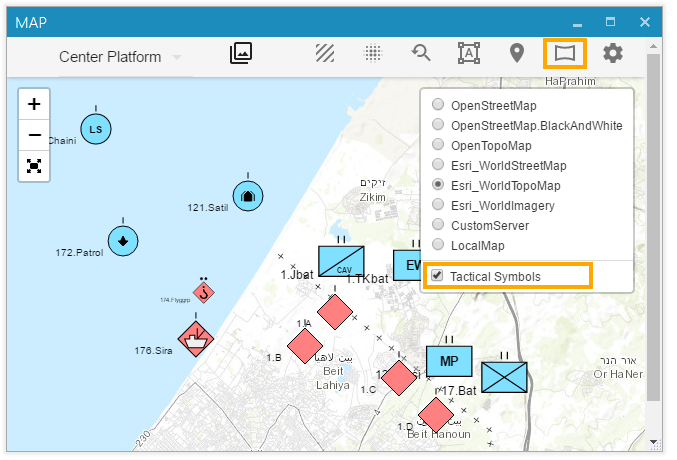
🧾 Example GeoJSON:
 {
    "name":"Layer",
    "type":"FeatureCollection",
    "crs": {"type": "name","properties": {"name": "EPSG:4326"}},
    "features":[
        {"type":"Feature","geometry":{"type":"Point","coordinates":[34.51337814331055, 31.576488011716833]},"properties":{"SIDC":"SHGPU------E***","name":"1.A","fullname":"1.H/Bat"}},
        {"type":"Feature","geometry":{"type":"Point","coordinates":[34.50325012207031, 31.56654278611756]},"properties":{"SIDC":"SHGPU------E***","name":"1.B","fullname":"1.B/123"}},
        {"type":"Feature","geometry":{"type":"Point","coordinates":[34.5355224609375, 31.557181604816563]},"properties":{"SIDC":"SHGPU------E***","name":"1.C","fullname":"1.C/456"}},
        {"type":"Feature","geometry":{"type":"Point","coordinates":[34.54822540283203, 31.546356567845027]},"properties":{"SIDC":"SHGPU------E***","name":"1.D","fullname":"1.D/789"}}
    ]
}
🌐 Loading MIL-STD-2525 Symbols
You can either:
- Load the symbols manually via the Map menu, or
- Use the automation endpoint:
POST http://localhost:2000/map/milsymbols
🗺️ Offline Maps
StPlayer can use pre-downloaded maps of selected regions when the computer does not have internet access.
📂 Local Map Files
StPlayer includes (optionally) a basic high-level world map.
The default location of the tiles:
"C:\Program Files\ImpleoTV\StPlayer\Bin\x64\resources\map\map-tiles"
It is possible to add / replace the tiles with pre-downloaded ones of the area of interest.
🗺️ Custom Tile Server
StPlayer also supports using a custom map server, either installed locally or hosted on your intranet.
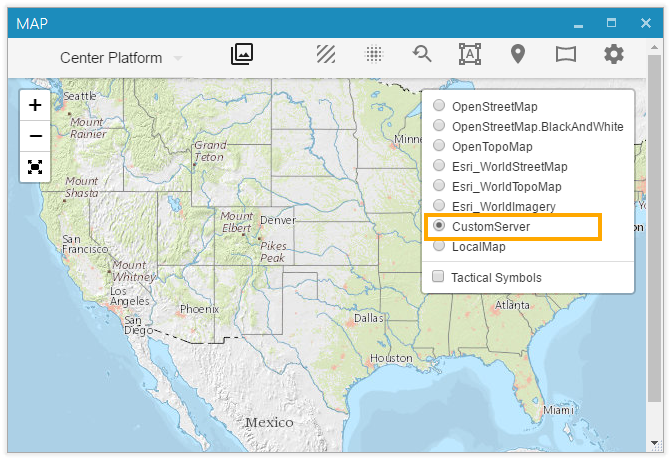
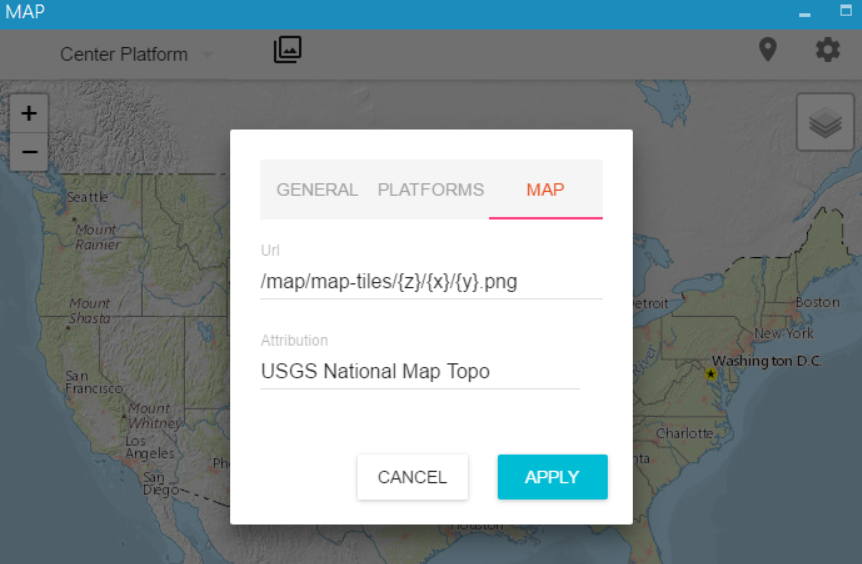
You can configure the server URL on the Map Settings page.
By default, the application uses local files. To point it to your own internal map server, use a URL like:
http://<IP>:<Port>/<tileslocation>/{z}/{x}/{y}.png
This also supports .jpg files.
⚠️ Note: If your server uses TMS (Tile Map Service), use
{ -y }in the URL to adjust the Y-axis orientation:
http://base_url/tms/1.0.0/tileset/{z}/{x}/{-y}.pngThis is necessary because standard tile coordinates start from the top-left corner (Y increases downward), whereas TMS starts from the bottom-left corner (Y increases upward).
🧱 Creating Offline Maps
There are many tools (both free and commercial) that let you generate offline map tiles.
One of the easiest free options is the Mobile Atlas Creator (MOBAC):
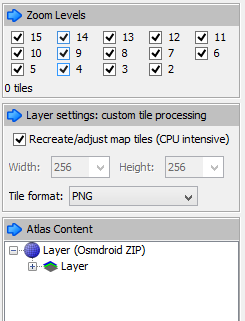
Steps:
- Select the region and required zoom levels.
- Save the atlas as OSMDroid ZIP.
- The output will be a folder structure like:
{atlas_name}/{z}/{x}/{y}.png
- Extract the ZIP and either:
- Copy the tiles into the StPlayer directory:
C:\Program Files\ImpleoTV\StPlayer\Bin\x64\resources\map\map-tiles
- Or serve them using a local or intranet HTTP server.
You can also create tiles from GeoTIFF files using tools such as:
These tools convert raster map data into a tile format compatible with StPlayer.