🌍 KML Network Link
StPlayer can publish geographical data as a KML Network Link, which can be opened in Google Earth.
🛰️ The following data will be included:
- 🛩️ 3D Model (position, pitch, roll, etc.)
- 📐 Footprint (based on corner points)
- 🎯 Frame Center
- 🕵️ VMTI Targets
🛠️ How to Start Publishing
Click Export → Publish as Network Link to open the configuration dialog.
- Select File: Browse to the target folder and choose the
.kmlfile name (this will be opened in Google Earth). - Configure Settings: Set refresh rate (in ms), select a 3D model, and adjust trail duration.
- Start Publishing.
- (Optional) You can adjust model size and trail duration on-the-fly.
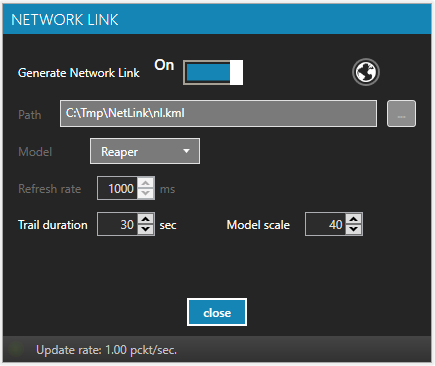
📡 Internal HTTP Server
StPlayer creates all required assets (platform trace, 3D model, etc.) and a .kml network link file.
An internal HTTP server is used to serve files to Google Earth.
💡 If you want to host the network link on an external web server, consider using the
StExporter utility for more control.
🗺️ View in Google Earth
You can open the network link using Google Earth:
- Double-click the
.kmlfile - Or click the Open with Google Earth Pro button (appears once the link is ready)
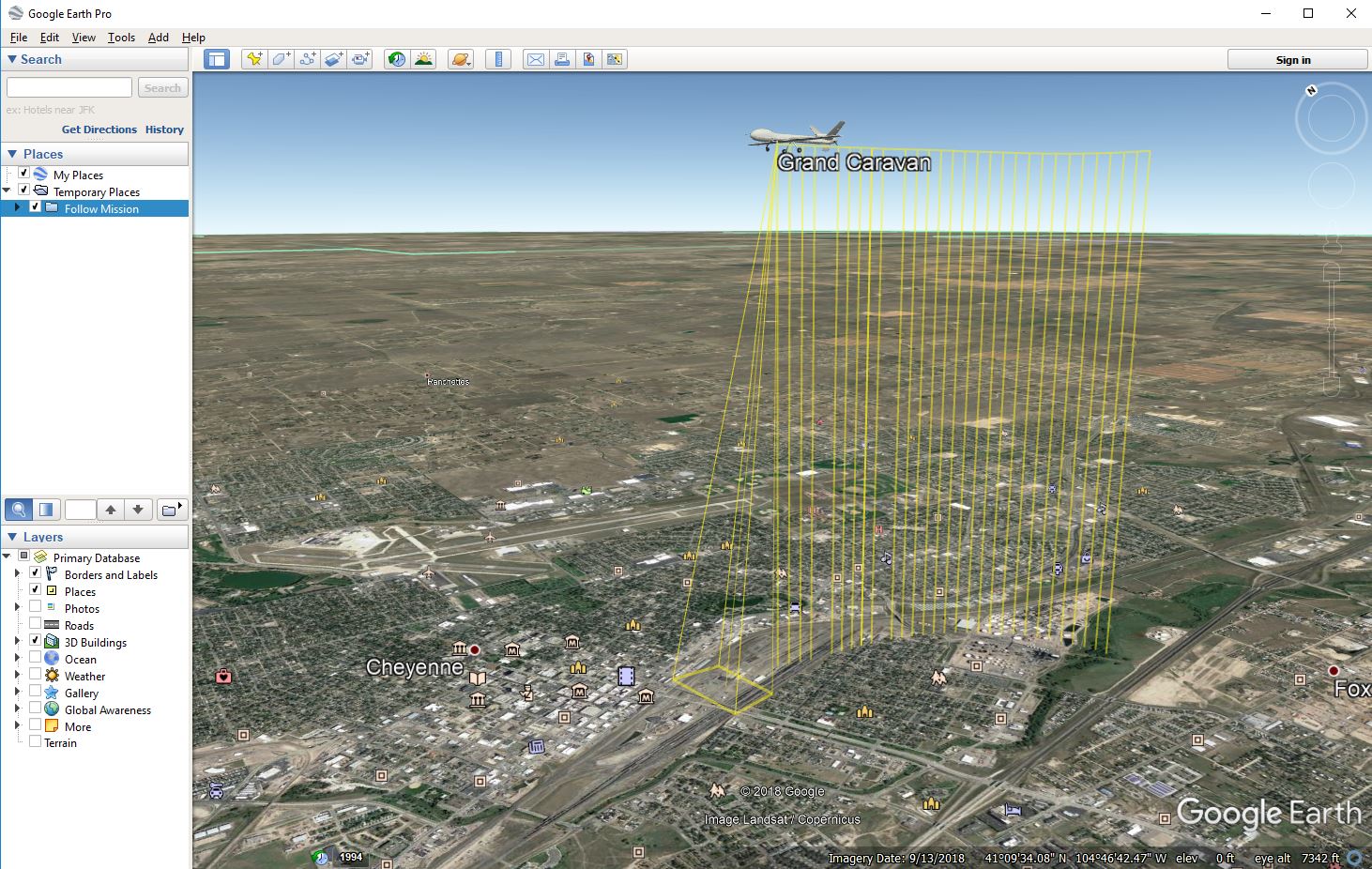
✏️ Advanced Editing
You can also use Google Earth Pro to edit the network link and enhance its appearance and properties.