KLV View
🔍 JSON View
You can inspect KLV packets in JSON VIEW mode by opening the KLV View window.

There are two view modes:
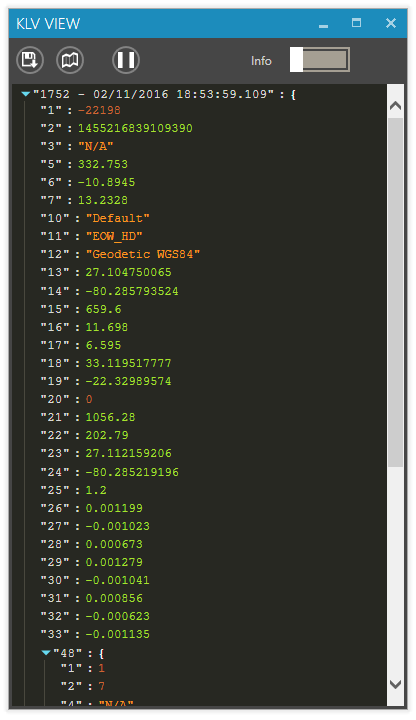
- Compact – Displays only standard tags in their native format.
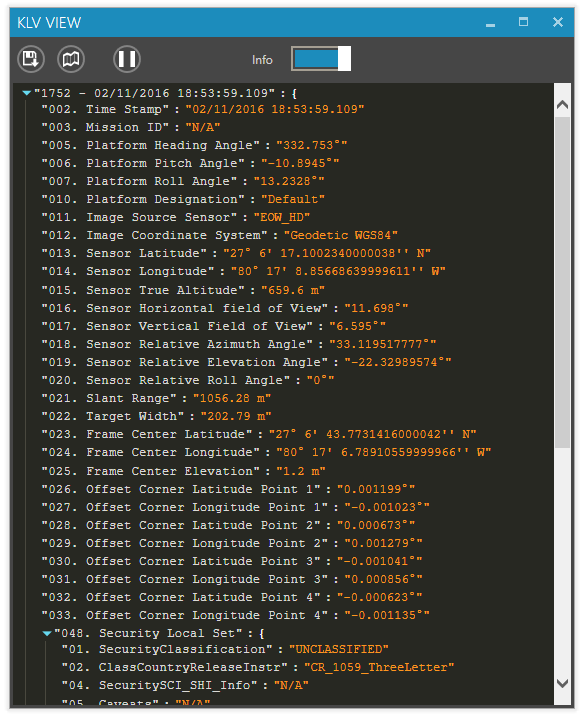
- Detailed – Displays tag names and decoded values in a more human-readable format.
🗂️ JSON View Examples
Compact View:
Detailed View:
🎛️ JSON View Controls
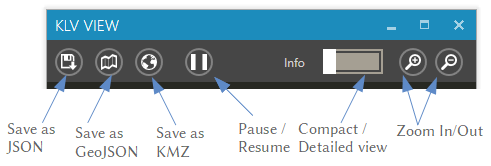
The controls at the top of the window allow you to:
- Save the current metadata packet as a
.jsonfile - Generate a GeoJSON file (if location info is present)
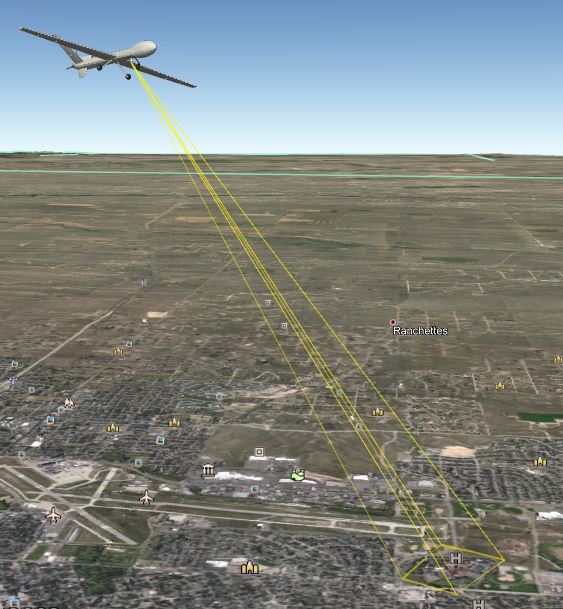
- Export as KMZ for viewing in a 3D app like Google Earth
- Pause updates to closely inspect the packet
⏱️ Update Rate
The default KLV update rate is approximately 150 ms. You can change it in Options → Misc.
🔍 Zooming
Use the Zoom In and Zoom Out controls to adjust visibility.
To zoom using your mouse:
➡️ Hold down the Ctrl key and scroll the mouse wheel.