🎯 KLV Breakpoints
You can automatically pause stream or file playback when certain metadata conditions are met.
🛠️ Setting Breakpoints
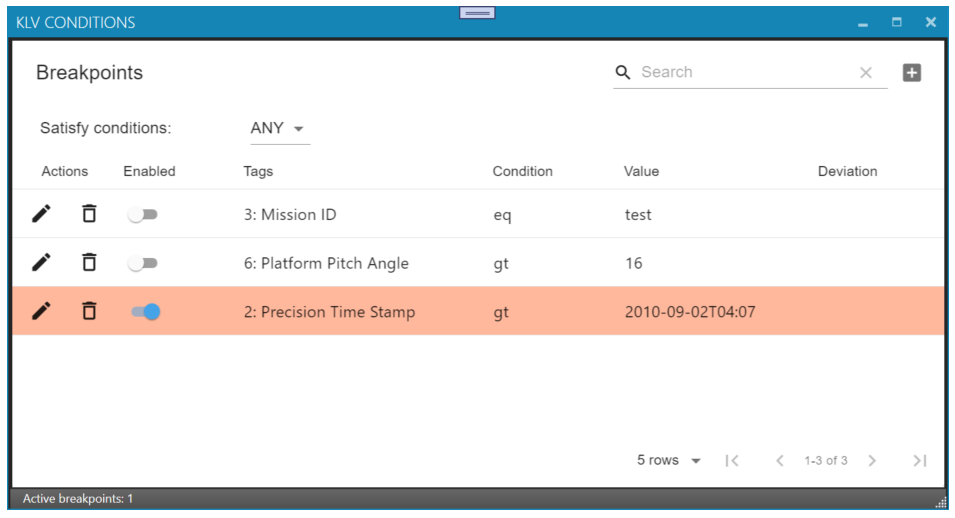
Press KLV Breakpoints to open the KLV Conditions Window.
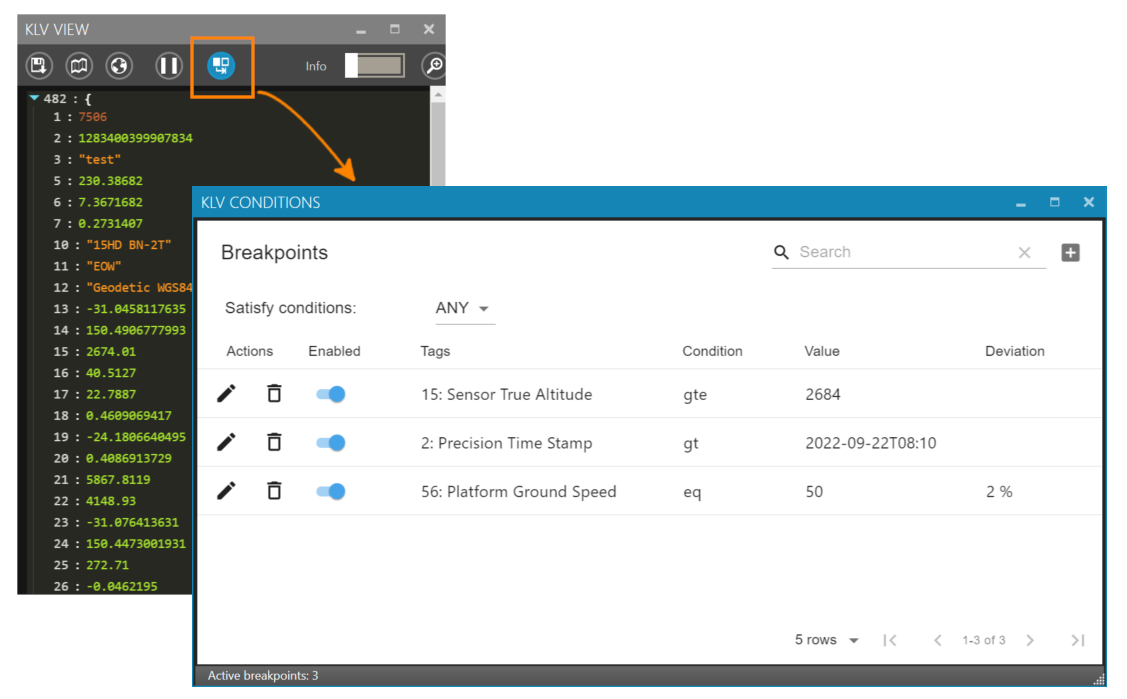
There are two available modes:
- ANY – Playback will pause if any condition is true.
- ALL – Playback will pause only if all conditions are true.
🔧 Breakpoint Properties
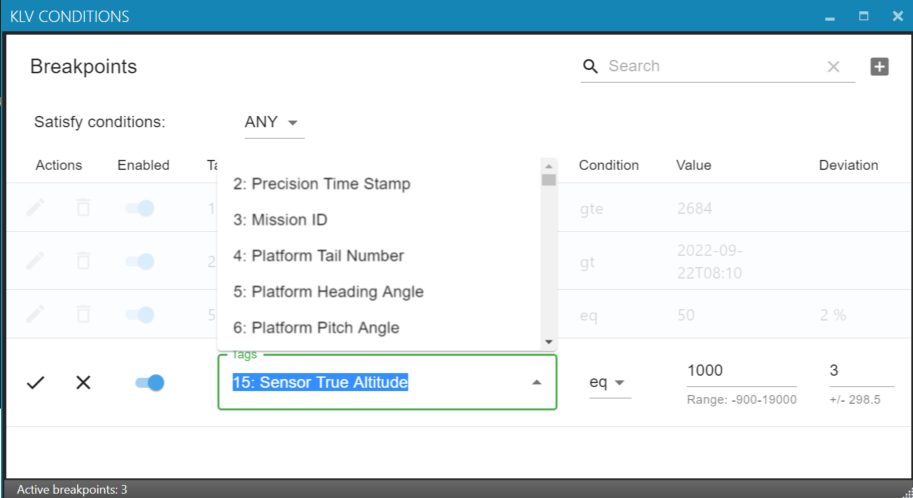
- Enabled – Toggle the breakpoint on or off
- Tags – MISB 0601 tag
- Condition – Logical expression to evaluate
- Value – Value to compare
- Deviation – Acceptable margin of error (in % or seconds for time tags) for
eqorneqconditions
For example, to pause playback when altitude reaches approximately 1000 meters, set the condition to eq and enter 1000 as the value. Since exact matches are rare, define a deviation to allow for a small margin. For time-based conditions, deviation is defined in seconds.
🔍 Expression Syntax
Depending on the metadata type, different logic operators are available:
📅 date / number
Available operators:
presentabsenteq,neqgt,gtelt,lte
🔤 string
Available operators:
presentabsenteq,neqstartsWithendsWithcontains
🧩 Nested Local Set
Available operators:
presentabsent
⏸️ Triggering Breakpoints
When a condition is met, playback is paused automatically.