On-the-Fly Video Resolution Change
By default, StPlayer scales the video to fit the application window. The aspect ratio is determined once at the beginning of playback.
If your stream changes resolution dynamically, overlay tools (such as VMTI, measurements, etc.) may not function properly unless specific steps are taken.
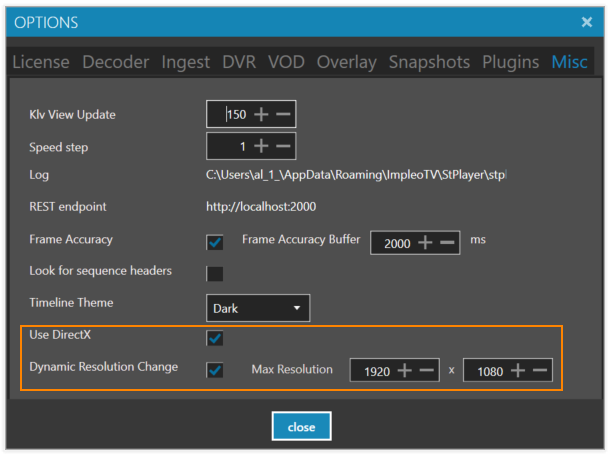
To support dynamic resolution changes:
-
Enable DirectX mode
Make sure the required components are installed. See Direct3D Rendering. -
Enable Dynamic Resolution Monitoring
Set theWidthandHeightto define the maximum expected resolution of the video stream.
Note:
You don't need to set the exact resolution. However, these values affect memory allocation.
It's best to avoid setting values much higher than expected to prevent unnecessary resource usage.