🔖 Bookmarks
StPlayer supports Bookmarks that help you quickly locate relevant video sequences in both file playback and VOD (Video on Demand) modes.
- File bookmarks are stored locally with the session info.
- StServer (VOD) bookmarks are stored on the remote server.
🕒 Bookmark Timeline
Use the Book button to open the bookmark timeline:
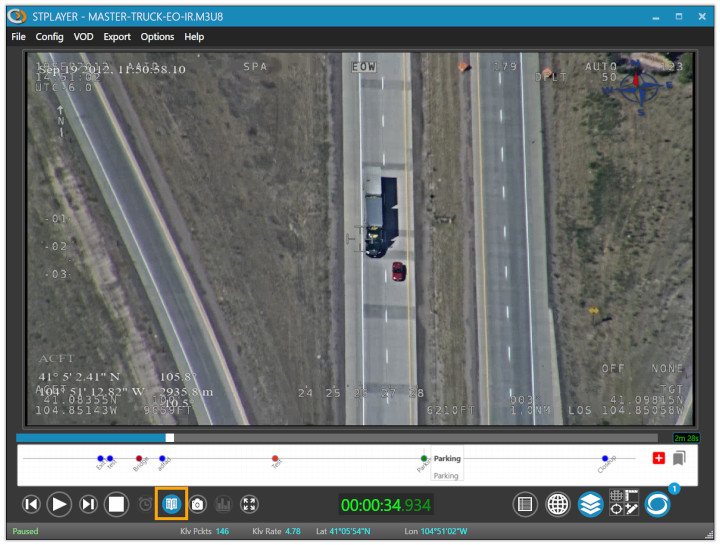
Clicking on a bookmark will jump the video playback to the corresponding position.
There are two control buttons on the right side of the timeline for: - Adding new bookmarks - Listing or editing existing ones

➕ Adding Bookmarks
When adding a bookmark, you can fill in descriptive information:
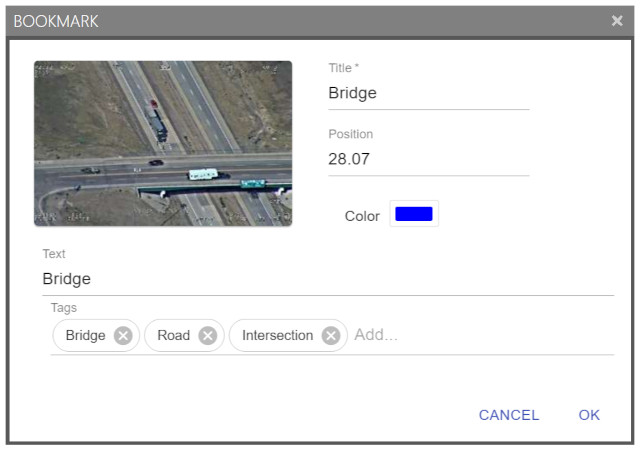
📝 List, Edit, or Delete Bookmarks
All existing bookmarks can be managed via the Bookmark List window:
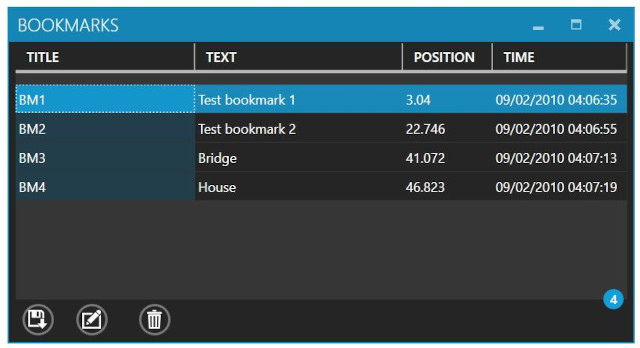
Select a bookmark to edit or delete it.
💾 Export Bookmarks as JSON
You can export bookmarks to a JSON file:
- Click the "Save as JSON file" button at the bottom-left of the window.
- Choose the destination path.
- The bookmarks will be saved as a JSON array.