🗺️ Annotations
GeoJSON is a standard file format used for representing geographic data.
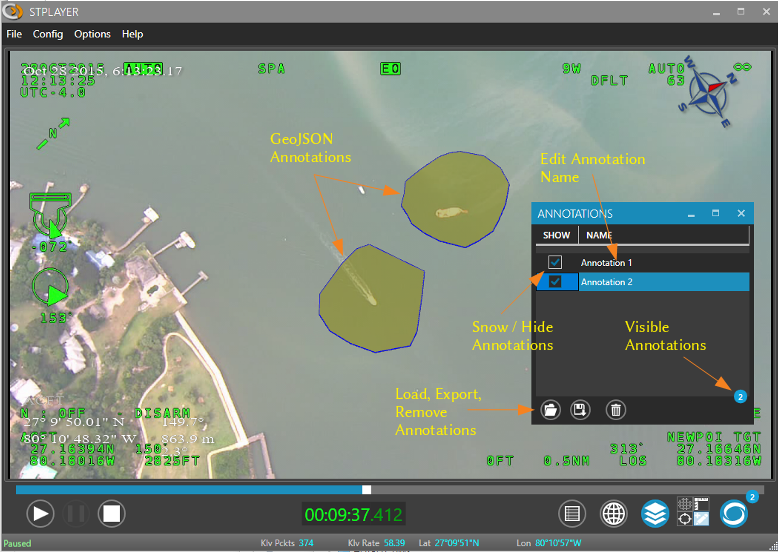
StPlayer can upload and host GeoJSON files as annotations, which are displayed on both the video feed and the map.
The GeoJSON data is stored in the StPlayer database, and when the video stream aligns with the relevant geo-coordinates, the player automatically overlays the annotation on the video.
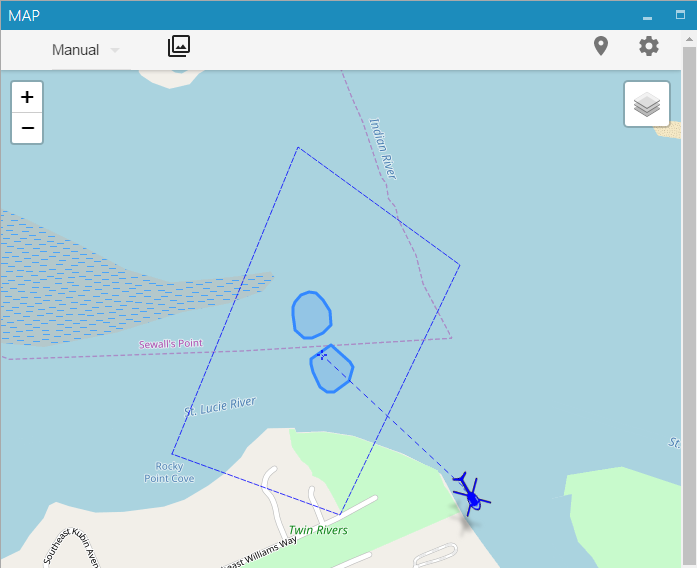
If a Map window is open, the GeoJSON annotation will appear there as well.
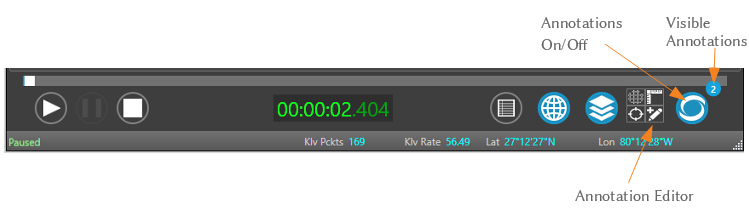
Alternatively, you can create annotations directly on the video using StPlayer's built-in Annotation Editor.
Once added, you can customize:
- The annotation's style (color, opacity, etc.)
- Its visibility settings for controlling when it appears
✏️ Annotation Editor
The Annotation Editor allows users to draw annotations over the video stream.
🎨 Annotation Style Editor
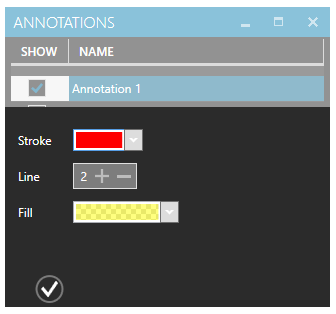
Customize the look and feel of your annotations using the Annotation Style Editor:
- Choose colors
- Set opacity
- Define visibility rules
🌍 Annotations on the Map
Once annotations are set as Visible, they will also appear on the map view: