Recording And Streaming
KLV Inspector supports both live recording and live rebroadcast workflows over serial and Ethernet interfaces.
Record KLV Data
Recording can capture SMPTE 336M-compliant KLV data received over RS232 or UDP.

Figure: Recording control entry point.
For serial input, the application separates packets by using the standard 16-byte universal key. For Ethernet input, the payload must be carried as a UDP packet with SMPTE 336M-compliant content.
During recording, you can open a live preview window. Once recording stops, the captured file is ingested automatically.
Rebroadcast KLV Data
KLV Inspector can rebroadcast selected packet ranges over RS232 or Ethernet.

Figure: Streaming control entry point.
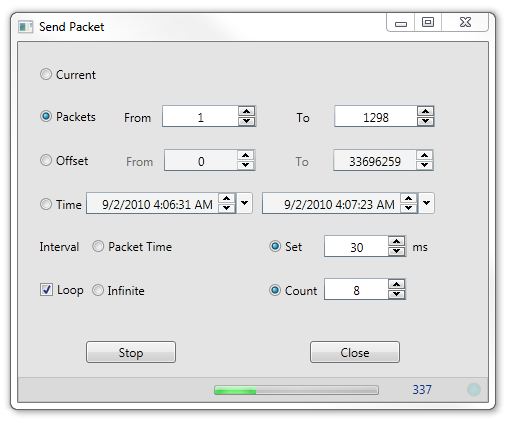
Figure: Streaming tool with packet-range and timing controls.
You can define the source range by:
- packet range
- file offset
- time interval
You can also preserve file timing or force a specific interval between packets.
Interface Settings
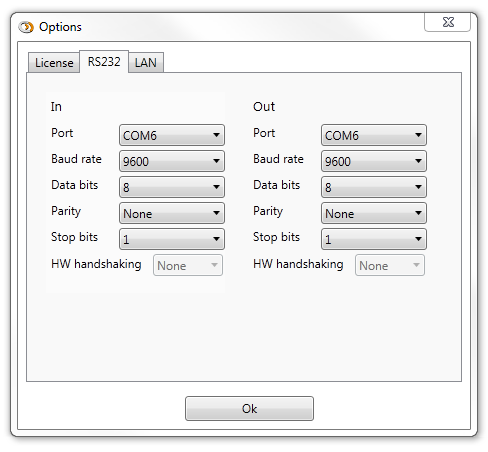
Figure: RS232 communication settings.
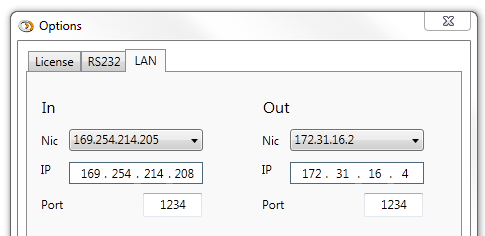
Figure: Ethernet streaming settings.
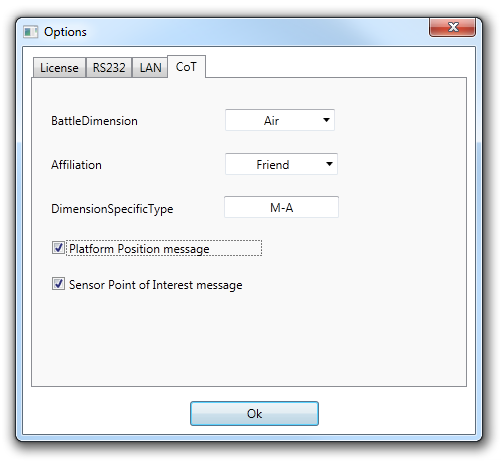
Figure: Cursor on Target settings.
For CoT-specific behavior, see Cursor On Target.