Video Preview
The Video Window provides direct visual access to the STANAG file while keeping the metadata workflow connected to the current playback position.

Figure: Button used to open the Video Window.
Use The Video Window
The Video Window supports random access through a slider, and the corresponding telemetry packet is presented in the main KLV Inspector window.
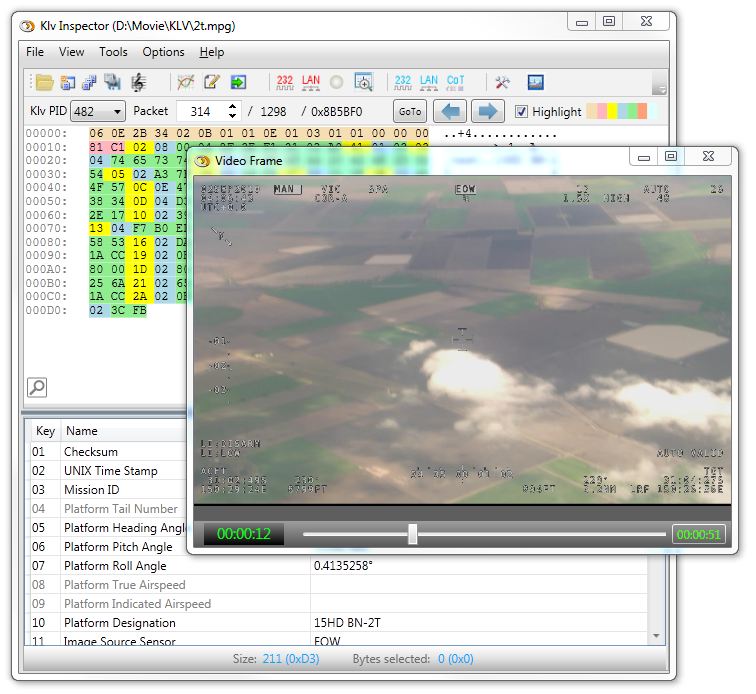
Figure: Video Window with random-access playback.
This workflow is useful when you need to compare decoded metadata against the actual video frame it is intended to describe.