Reports And Navigation
KLV Inspector provides both high-level stream reporting and low-level packet navigation. Together, those workflows let you move from a transport-level summary to the exact packet that needs inspection.
Generate A Report
The report summarizes the transport stream, video, and metadata that KLV Inspector finds during analysis.
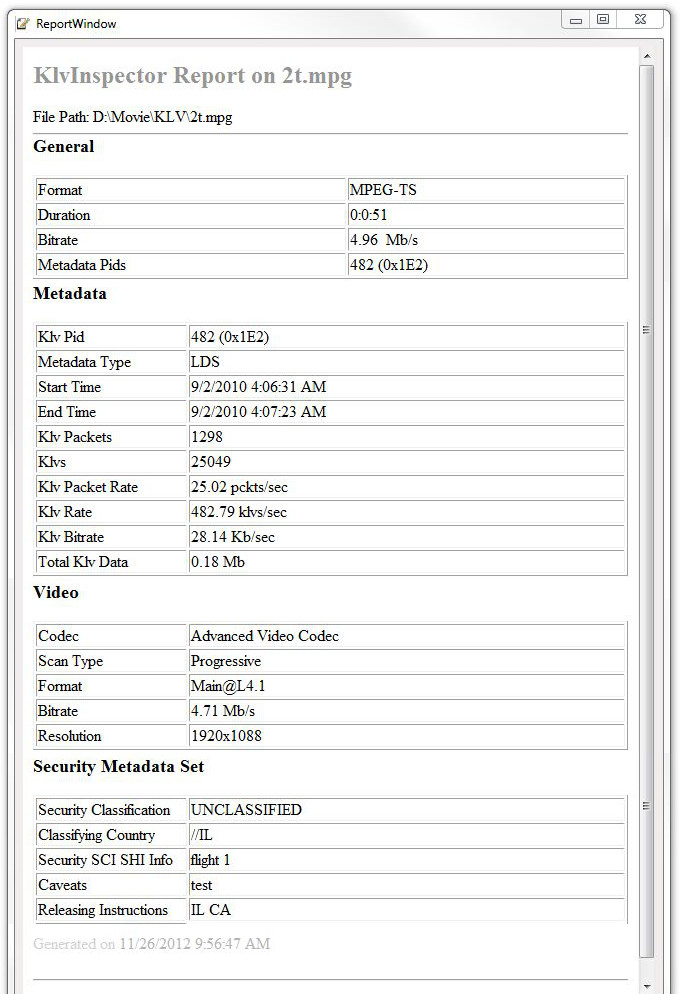
Figure: Generated report with transport, video, and metadata details.
Reports are useful when you need a quick technical overview before looking at individual packets.
Navigate Between Packets
Use the packet navigation controls to move forward, backward, or jump directly to a packet identified by KLV time.

Figure: Packet navigation controls, including direct Go To access.
You can navigate by:
- packet number
- next or previous packet
- KLV timestamp through the
Go Toworkflow
This is especially useful when a test case references a specific time interval rather than a packet index.