Streaming Workflow
Two things must be done before KLV Streamer can rebroadcast files over IP:
- Build a playlist by selecting TS files.
- Configure the output target parameters.
Add Files To The Playlist
Use the Add Files button to select one or more TS files, or drag files directly from Explorer into the application.
When files are added, KLV Streamer detects properties such as bitrate, duration, and whether KLV metadata is present.
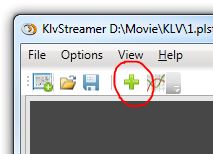
Figure: Adding STANAG transport-stream files to the KLV Streamer playlist.
Configure The Output Target
Open the Target Params section and select:
- the network interface to use
- the destination IP address
- the destination port
- whether the target is unicast or multicast
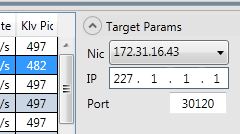
Figure: Output target configuration for NIC, IP, and port.
Configure Preview
Expand the Preview section to configure live playback of the resulting network stream.
- For unicast output, enabling preview creates an additional local loopback stream.
- For multicast output, the preview player joins the same multicast group as the output stream.
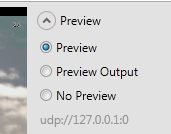
Figure: Preview configuration for local or multicast monitoring.
Choose The KLV PID
If the stream contains more than one KLV PID, select the PID you want to present in the preview window. The preview decoder extracts and displays the selected metadata stream.
This makes it practical to inspect one metadata channel at a time while keeping the stream itself unchanged.