Metadata Preprocessing
If the source stream already contains KLV, KlvInjector lets you decide how that metadata should be handled before the final packet is injected.
Existing KLV Handling Modes
- Drop Existing KLV: remove the source KLV PID from the output.
- Keep Existing KLV: pass the source KLV through unchanged.
- Restamp Existing KLV: rewrite the source packet timestamp using current time or a predefined initial time.
- Merge Existing KLV: merge the source packet with the default packet.
Template Packets
You can add or replace selected metadata fields by providing a template packet. The template can be either:
- a binary KLV packet
- a JSON file that mirrors the MISB 0601 hierarchy
When Add/Replace is enabled, KlvInjector injects the template values into every resulting packet. If the same field already exists in the incoming metadata, it is replaced.
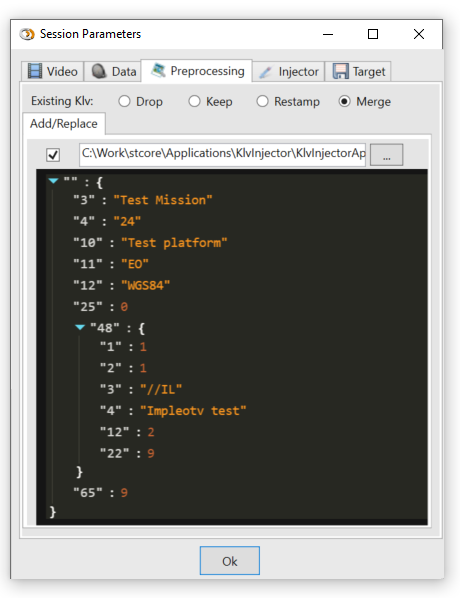
Figure: Metadata preprocessing parameters.
The template packet timestamp is ignored, so Tag 2 may be omitted or left with any value.

Figure: Example template packet.
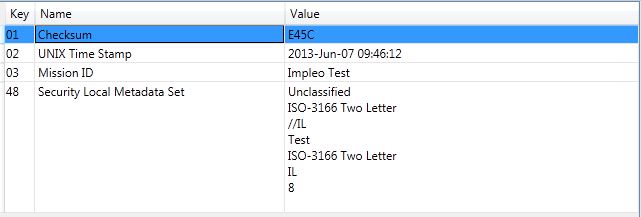
Figure: Decoded template packet.
You can use the KlvComposer tool to build template packets.
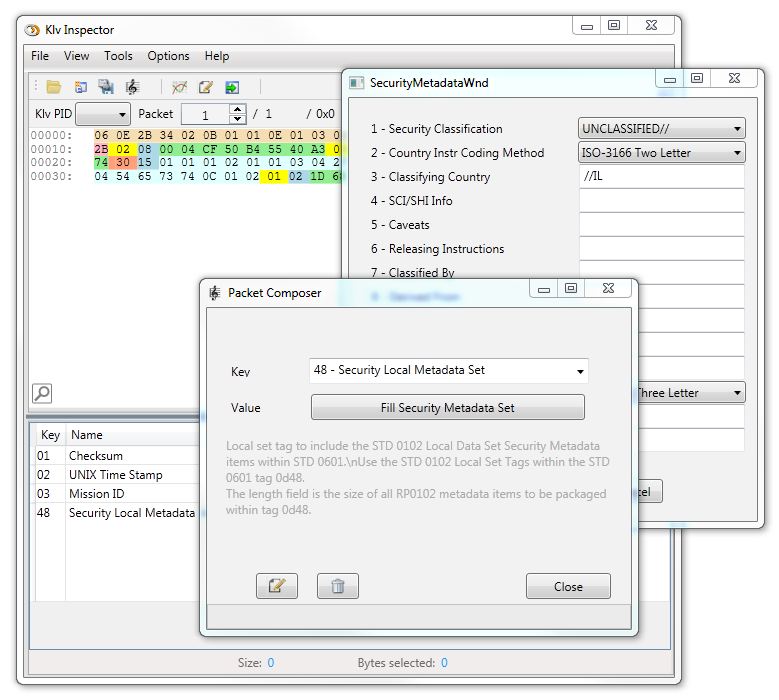
Figure: Creating template packets with KlvComposer.
Default Packet Insertion
You can define a minimum interval between metadata packets. If no metadata arrives within that interval, KlvInjector generates and injects a default packet with a valid timestamp.
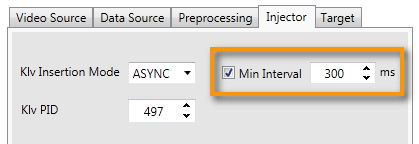
Figure: Minimum interval for default-packet insertion.
If Min Interval is used together with Add/Replace or remove operations, the generated default packet is preprocessed in the same way as regular incoming packets.