Live UDP Injection
This workflow injects RAW KLV telemetry received over UDP into an incoming MPEG transport stream that is also received over the network.
Workflow Summary
- Configure a network video source.
- Configure a network metadata source.
- Configure metadata preprocessing.
- Configure KLV insertion and timing.
- Configure the target file or network output.
- Start the session and monitor the resulting metadata.
Configure The Video Source
Select a session configuration and set the network source parameters for video reception: network interface, source IP address, and UDP port.
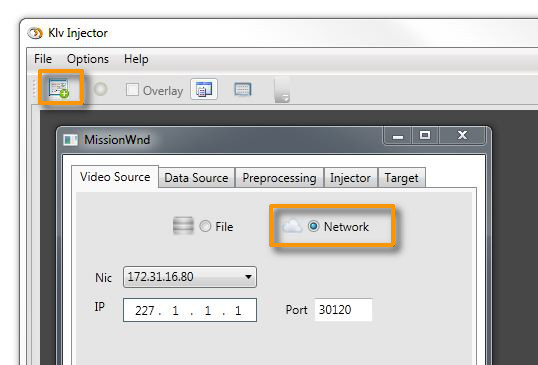
Figure: Network video source parameters.
Configure The Metadata Source
Set the network interface, IP, and port used to receive the incoming RAW KLV metadata packets.
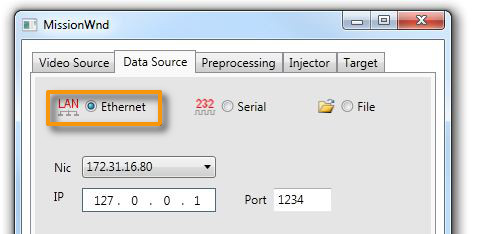
Figure: Network metadata source parameters.
Configure Metadata Preprocessing
You can attach a template packet in binary or JSON form to add or replace selected metadata values before injection.
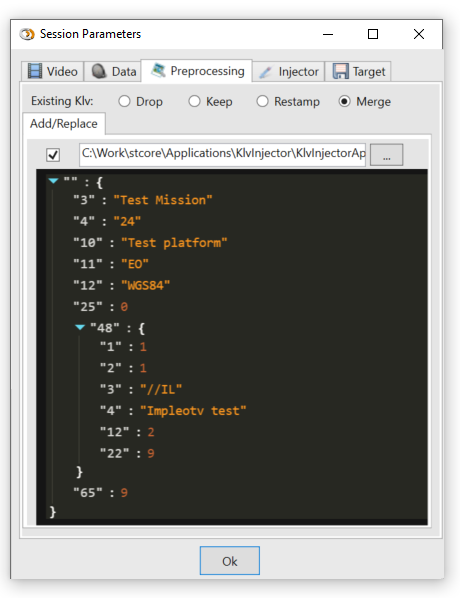
Figure: Metadata preprocessing parameters.
For the available preprocessing modes, see Metadata Preprocessing.
Configure KLV Insertion
Set the insertion mode and timing behavior.
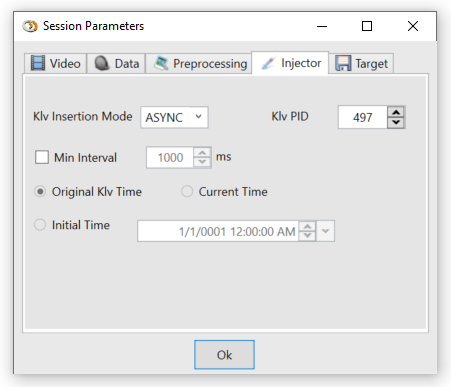
Figure: KLV insertion parameters.
For the timing options, see Timing.
Configure The Target
Select the output target and, if needed, enable segmented recording by size or duration.
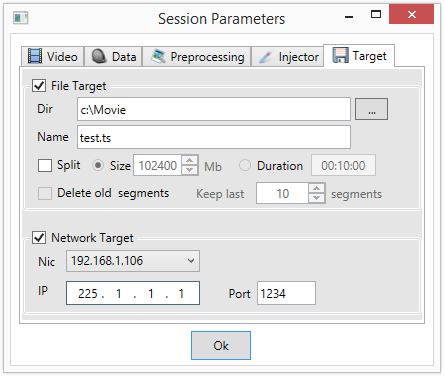
Figure: Output target parameters.
Start The Session
Close the session configuration window and start the recording session.
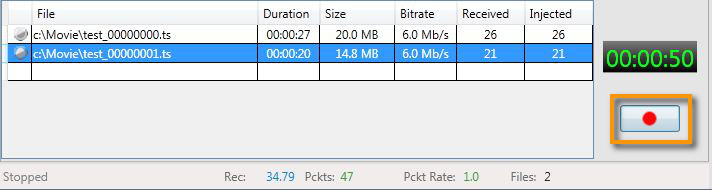
Figure: Session controls.
You can preview metadata during processing. See Live Preview and Klv Monitor.