✂️ Cut and Export Clips from STANAG Files
StPlayer provides a tool to cut and export STANAG clips while preserving MISB metadata.
A simple timeline interface lets you select Mark In and Mark Out points. Once you select the desired portion, you can export it as a new STANAG clip.
🖼️ Open the Timeline with Cut Tool
Use the Scissors button to open the cut timeline interface:

🔍 Select Range
You can define the desired clip by:
- Using the range slider
- Clicking MarkIn and MarkOut buttons during playback
- Pausing playback and manually positioning the playback slider, then clicking the mark buttons
The Cut Control panel displays the resulting clip duration:
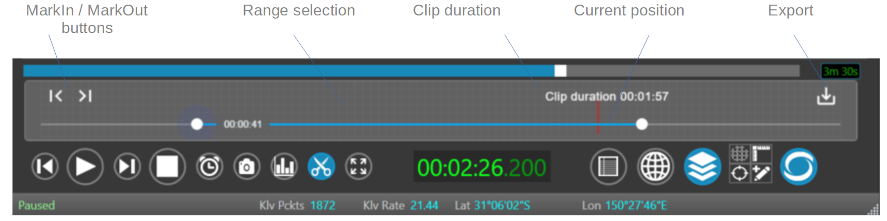
Once the range is selected, click Export to save your clip.
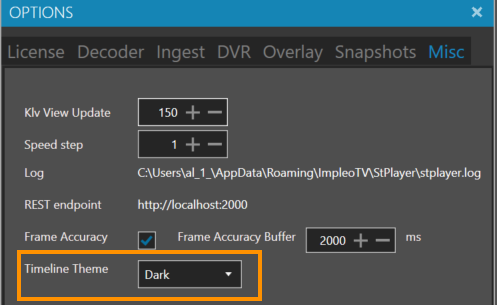
🎨 Select Timeline Color Theme
Choose between dark and light timeline themes in the Options dialog:
🌞 Light Timeline Color Theme
Preview of the light-themed timeline:
